Visual Studio uses JetBrains Mono
Download JetBrains mono font
Open website:
https://www.jetbrains.com/lp/mono/
Unzip the archive and install the font
Unzip the archive, open /fonts/ttf. Ctrl + A, select all font files, right-click any of them, then pick “Install” from the menu.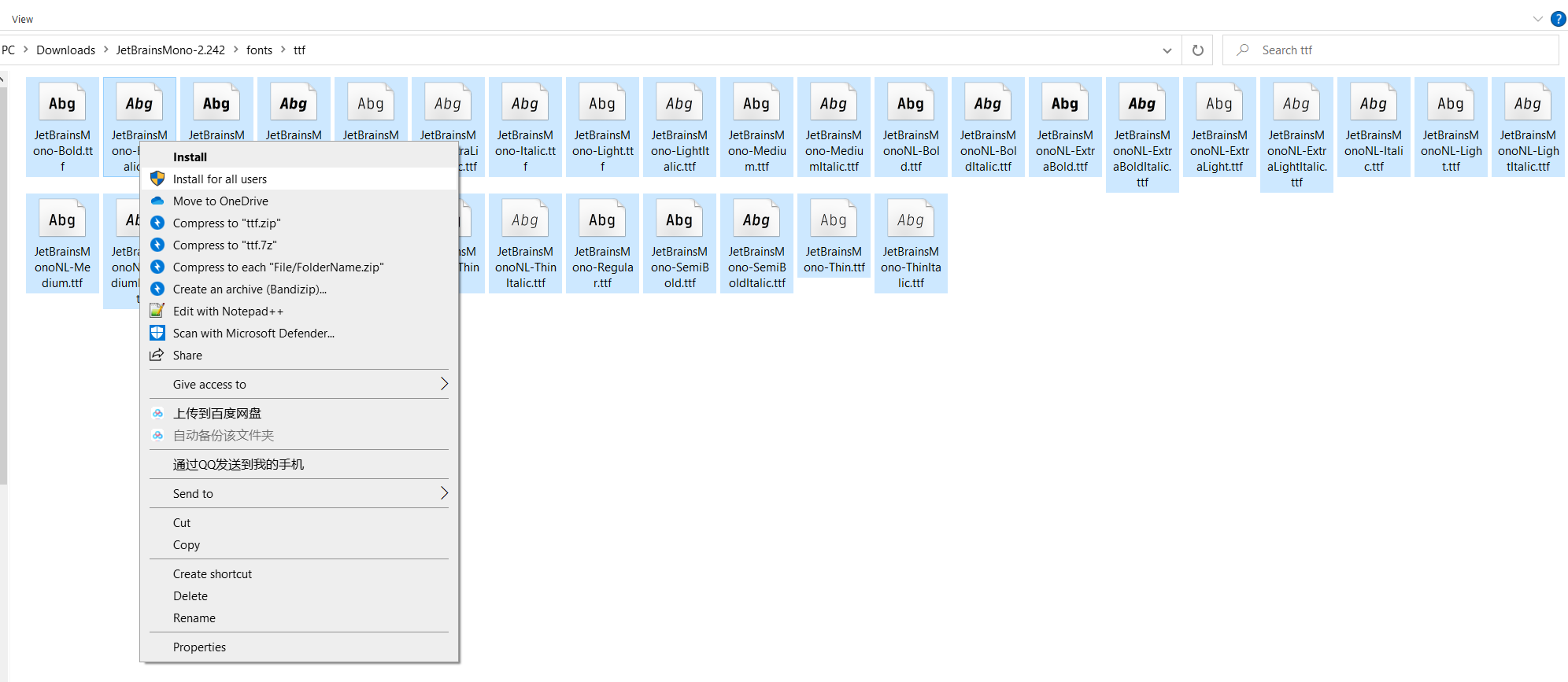
Run Visual Studio
1. Open options menu
Tools -> Options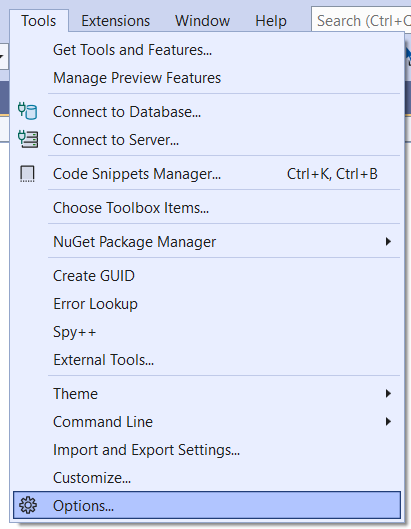
2. Select font
Environment -> Fonts and Colors -> Font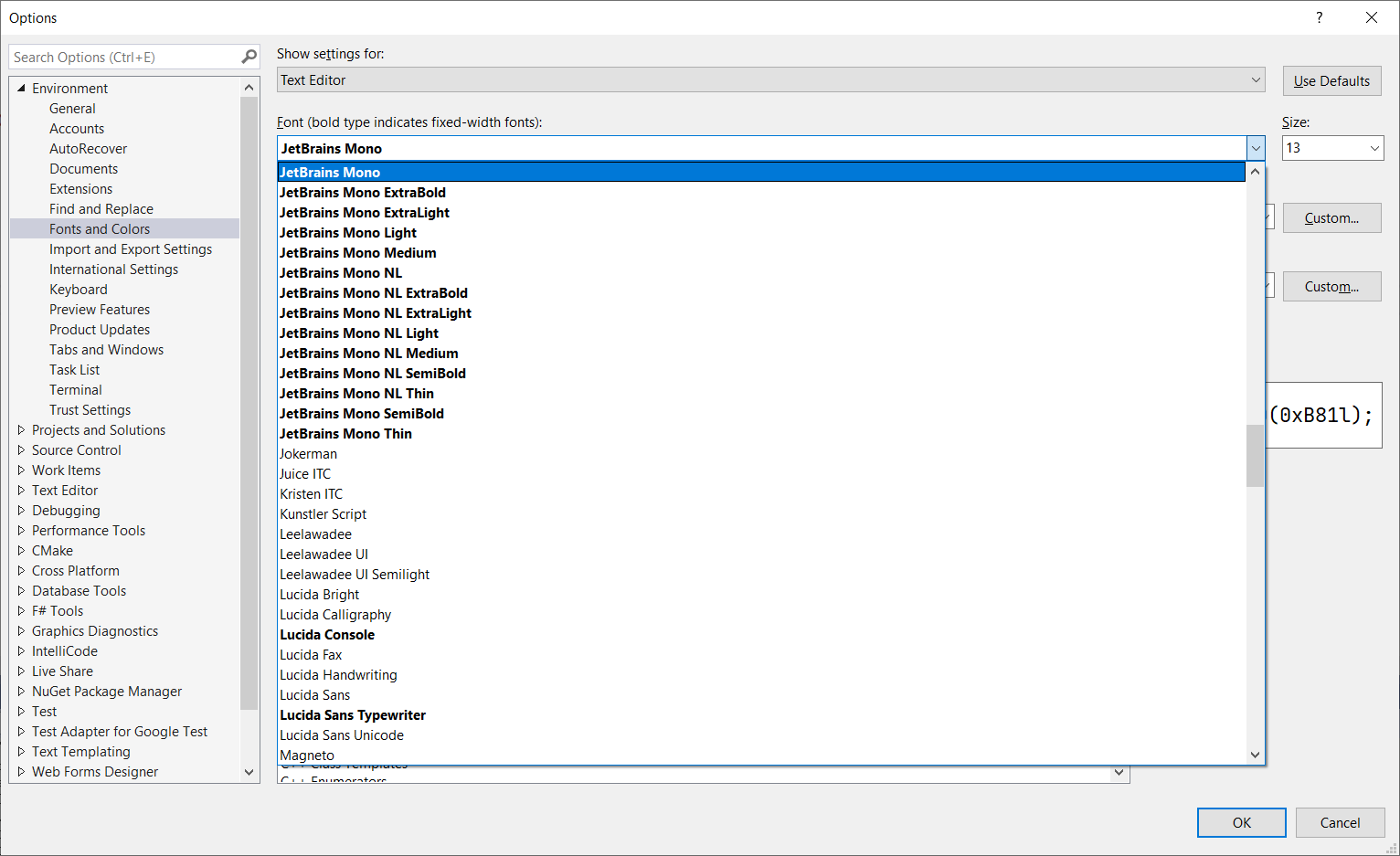
Recommended size: 13
The font effect
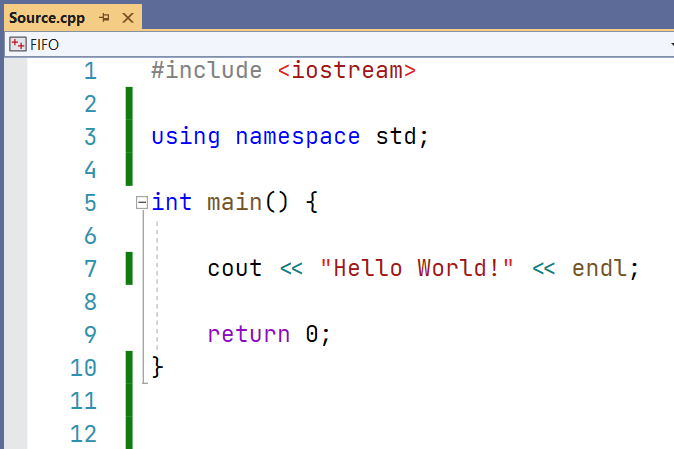
Visual Studio uses JetBrains Mono
https://www.hardyhu.cn/2022/01/01/Visual-Studio-uses-JetBrains-Mono/