Vmware virtual machine set fixed IP address in CentOS 7
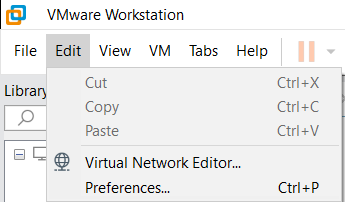
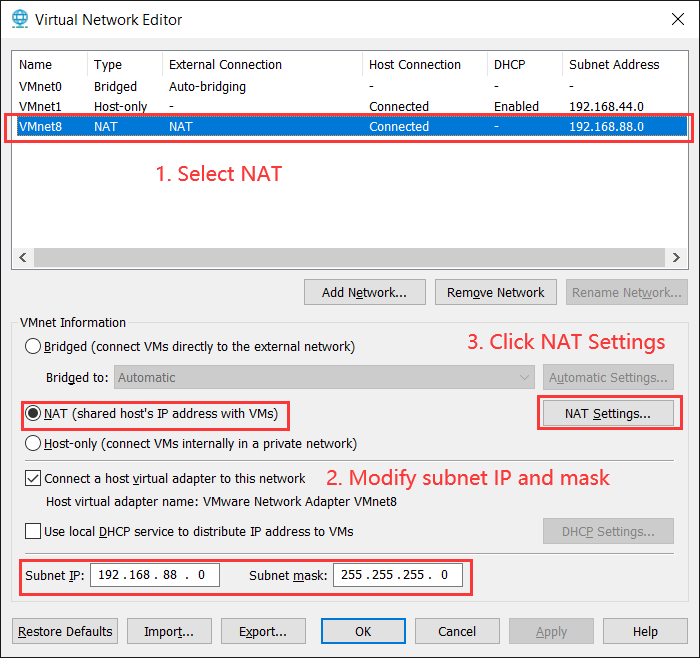
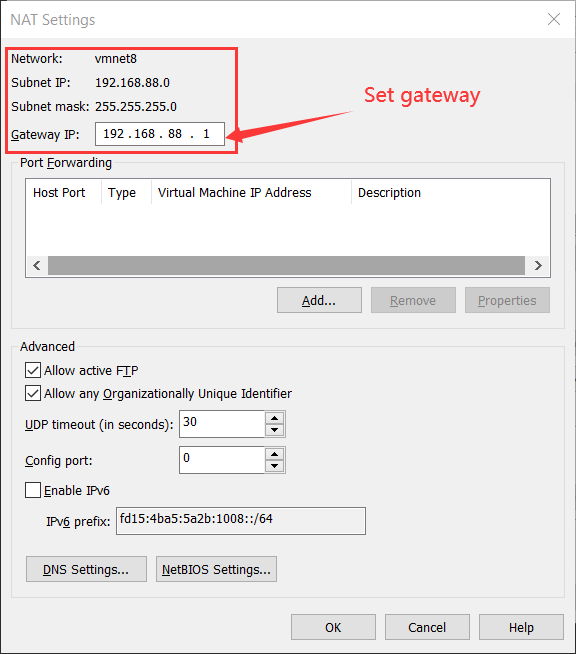
1. Open the virtual network editor dialog
Edit -> Virtual Network Editor
2. Check physical host Network Interface Card settings
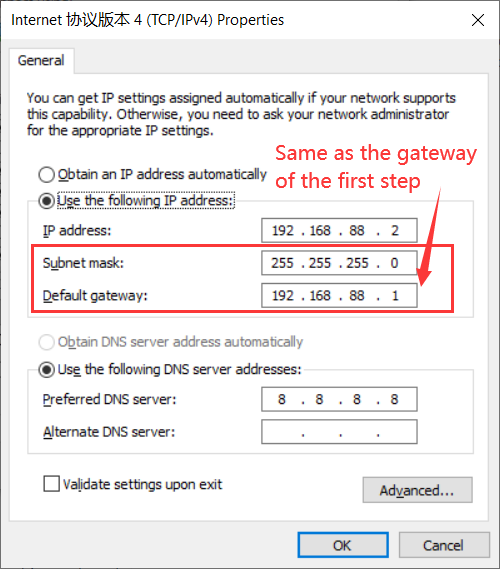
Network and Sharing Center -> Change adapter settings -> VMware Network Adapter VMnet8(right click) -> Properties -> TCP/IPv4
3. Enter virtual machine and set a fixed IP address
1 | |
If eth0 does not exist,
1 | |
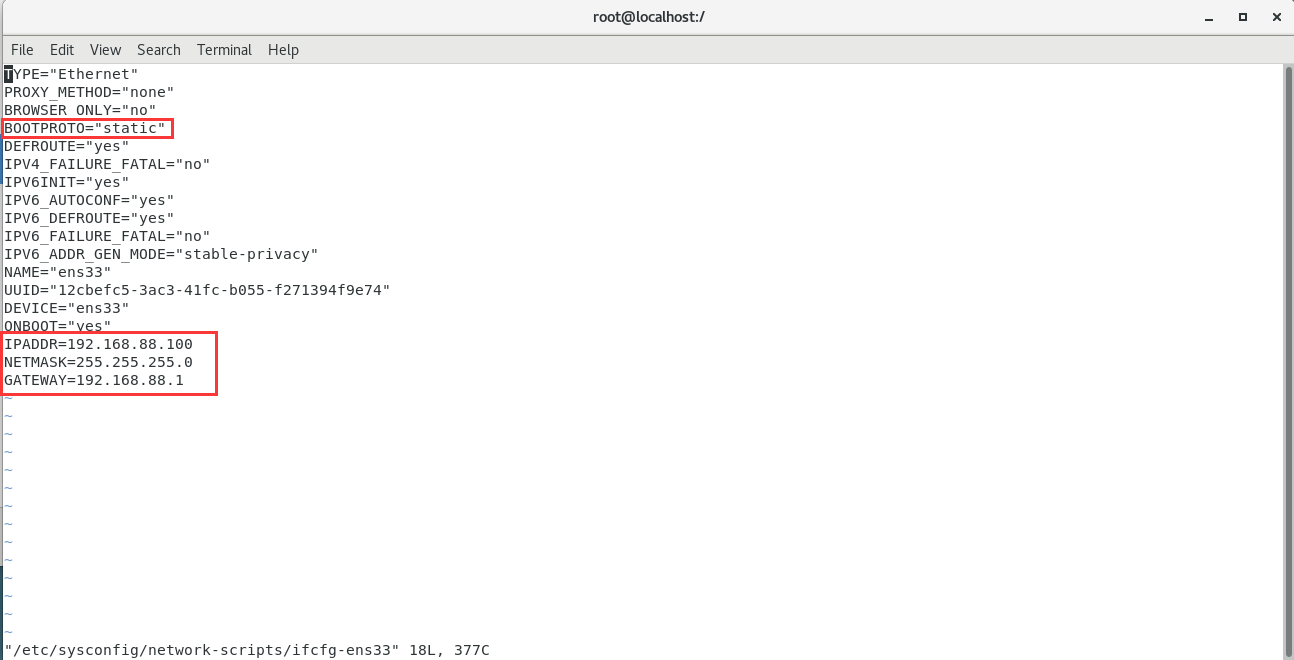
1 | |
4. Restart network service
1 | |
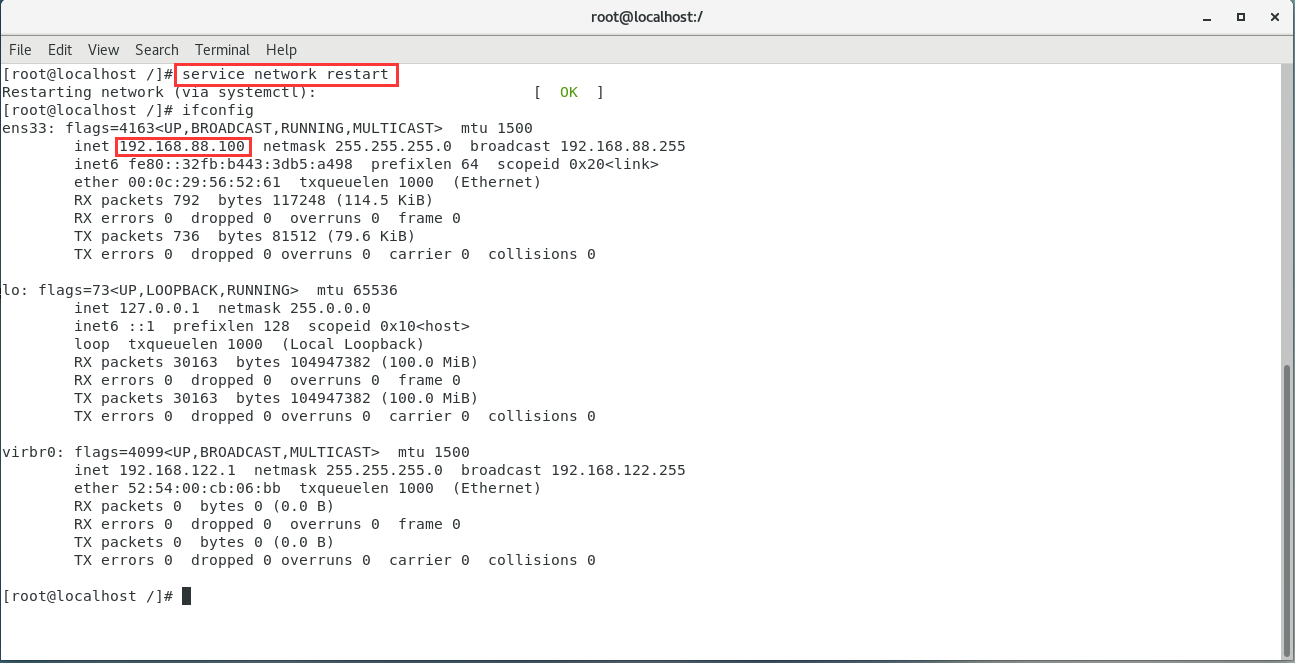
5. Other
If you can’t resolve the domain name, you may not have DNS configured,
1. Open the /etc/resolv.conf
1 | |
2. Add lines for the name servers that you want to use
For example, using Alibaba Cloud DNS:
1 | |
3. Save the file
4. To ensure that your new settings are working, ping the domain name by using the following command:
1 | |
Vmware virtual machine set fixed IP address in CentOS 7
https://www.hardyhu.cn/2022/01/26/Vmware-virtual-machine-set-fixed-IP-address-in-CentOS-7/